Install Microsoft Authenticator
On your phone, use Microsoft’s official download page. The app publisher must be Microsoft Corporation.
Download Microsoft Authenticator
- Allow notifications: they are needed to approve sign-ins.
- Camera access is needed to scan the Microsoft QR code during MFA enrolment.
- Do not install Company Portal or enrol your phone in device management.
- Keep the app installed and continue to the MFA enrolment step below.
Enrol MFA
- Open a new browser window and go to Outlook.com.
- Sign in with your username and password.
- Follow the on-screen flow to set up MFA with Microsoft Authenticator.
Contact Melissa if you need your password.
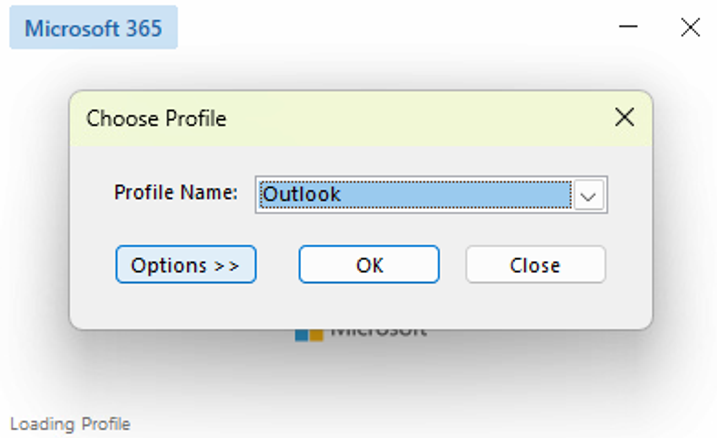
Start Outlook with Exchange
- Close Outlook if it is already open, then start it again.
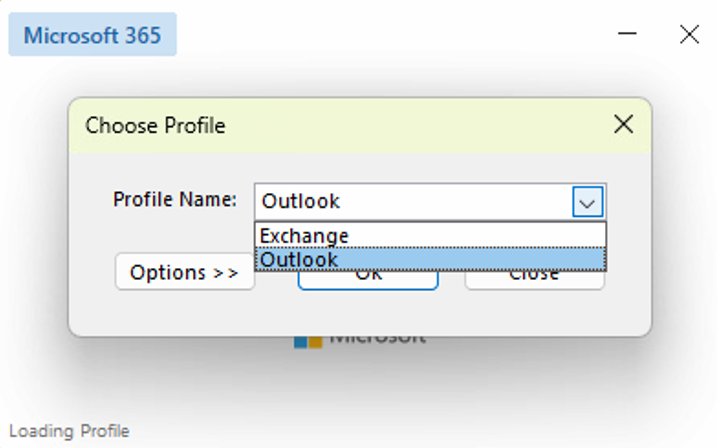
- At Choose Profile, open the list and select Exchange.
- Click OK.
Do not choose Outlook and do not delete either profile.
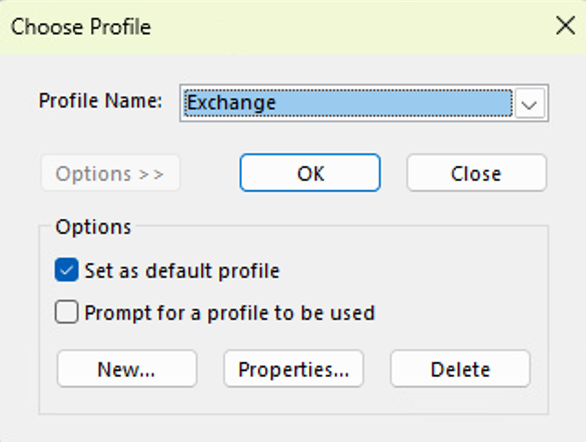
Optional: stop Outlook asking each time
- Select Exchange.
- Click Options >>.
- Tick Set as default profile.
- Untick Prompt for a profile to be used.
- Click OK.